
Selling in France, Spain, and Poland from one Shopify store sounds simple until a shopper searches for a term your English glossary never translated the right way. A solid multilingual glossary strategy is not machine-translating every definition word for word. It is matching each market’s buyer vocabulary, URLs, and examples so definitions read like they were written locally – because in ecommerce, they often should be.
This guide covers where literal translations fall short, what to localize beyond the definition text, and how hreflang and translated slugs fit into a multilingual glossary strategy your international customers can actually use.
Why product terms do not translate one-to-one
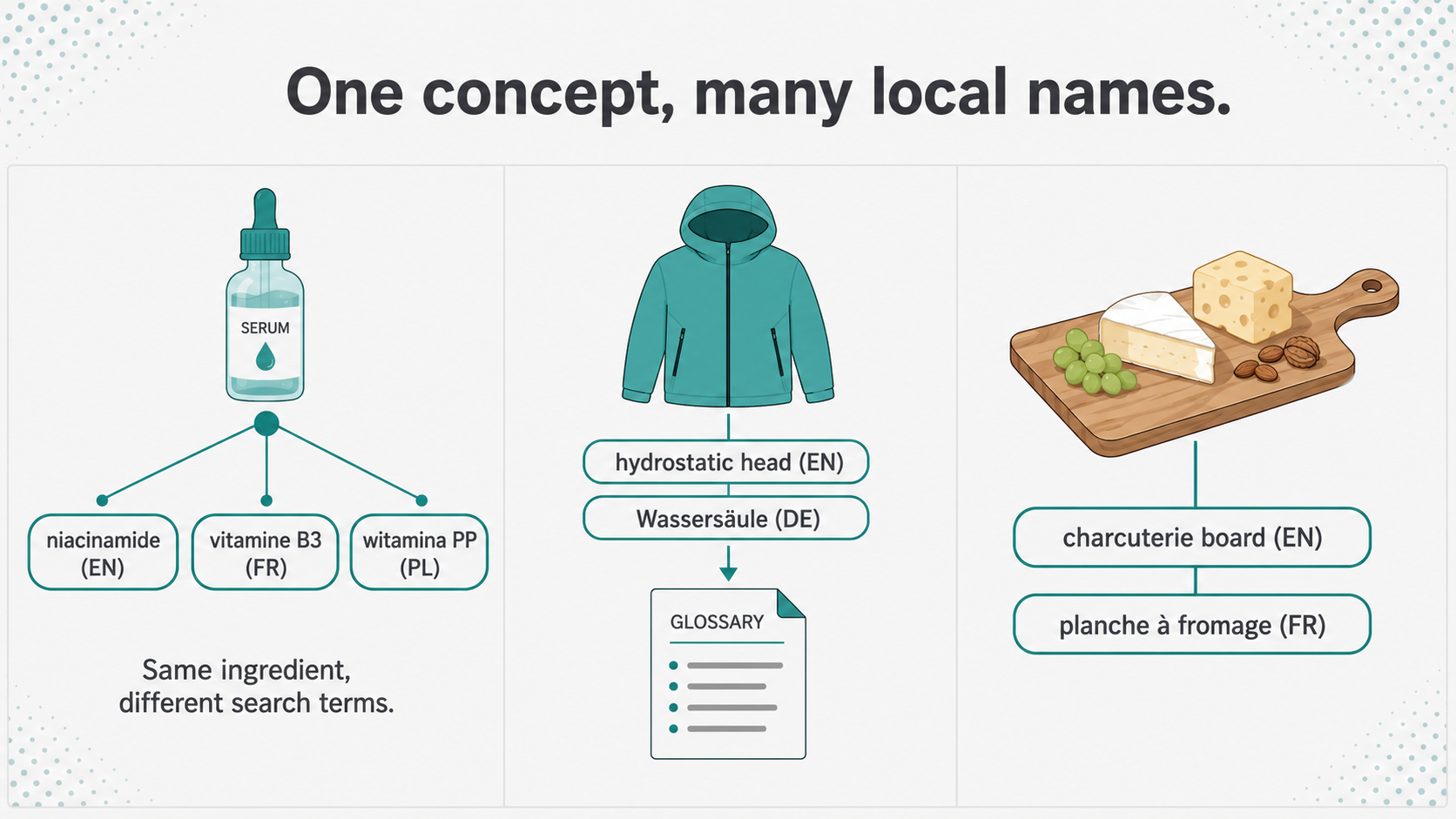
Supplier copy often arrives in English or in a technical standard your team adopted globally. A skincare brand might list “niacinamide” on every storefront. In France, shoppers also search “vitamine B3.” In Poland, support tickets may mention “witamina PP.” All three point to the same ingredient, but a glossary that only mirrors the English INCI name misses how people search in each language.
The same pattern shows up outside beauty. Outdoor gear buyers in Germany ask about “Wassersäule” while your spec table says “hydrostatic head.” Food merchants see “planche à fromage” where English copy says “charcuterie board.” These are not errors. They are local entry points into the same product knowledge. Your glossary keywords work in one language does not copy-paste cleanly into another without a native-speaker check.
What to localize in a multilingual glossary strategy
Start with the term name shoppers would recognize, not just the label on your English product page. The full definition, short tooltip text, and examples should use local units, brands, and regulations where they differ. A supplement store selling in the EU and the US might explain “third-party tested” with references to relevant certification bodies per region rather than one generic paragraph.
Translated slugs matter too. A French URL like /glossaire/vitamine-b3 is easier to read and share than /glossaire/niacinamide if that is what French buyers type. Shopify’s translation tools can handle term names, descriptions, and slugs per locale. The goal is a page that looks native in search results and in your store navigation, not a foreign label with a local suffix bolted on.
Structure stays consistent across languages. Each localized entry still benefits from the same building blocks: short answer, plain definition, buyer context, and links to products you stock in that market. Our guide on the anatomy of a useful ecommerce glossary term page applies in every language; only the phrasing and examples change.
Hreflang, sitemaps, and telling search engines about language versions
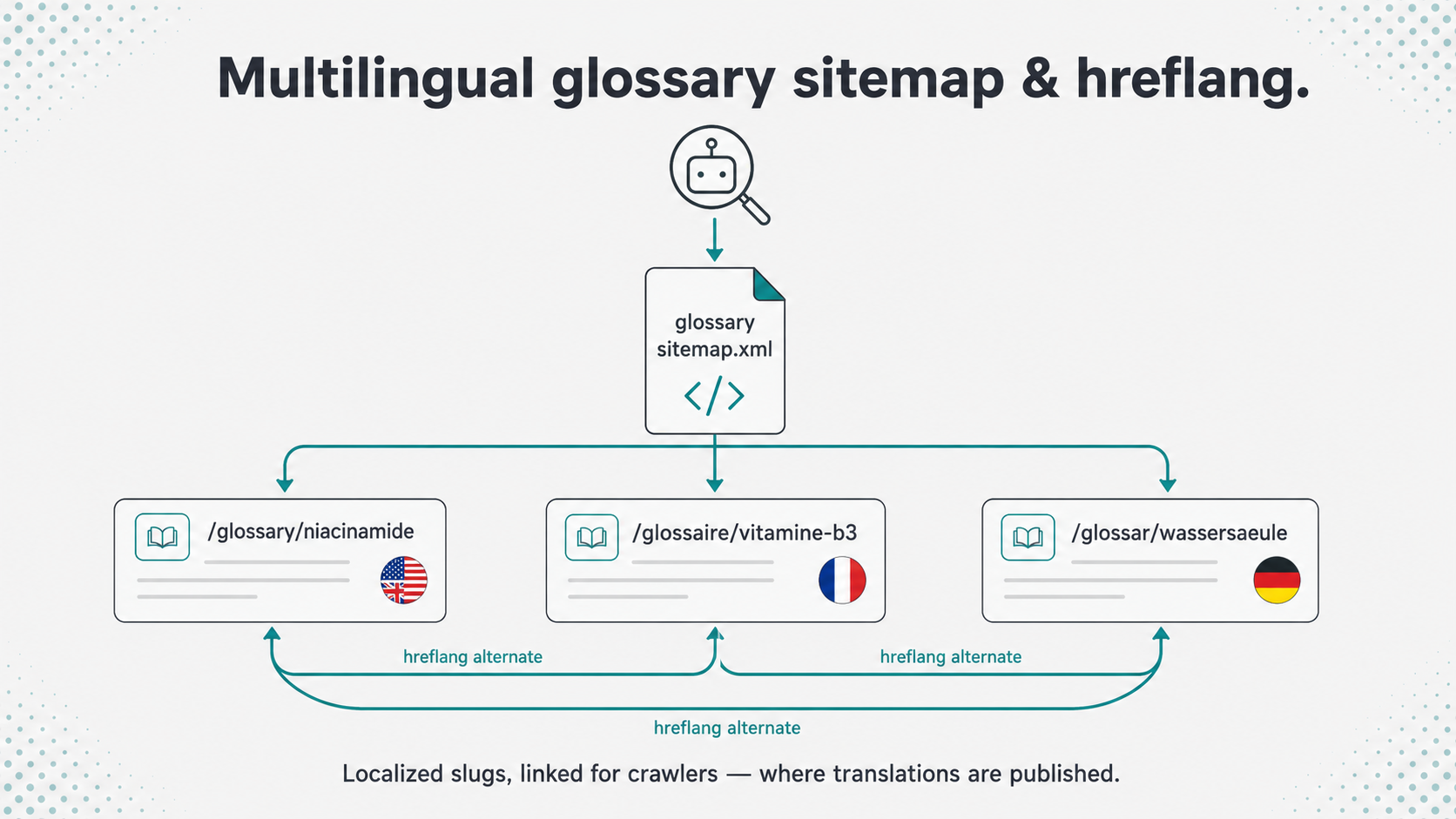
Any multilingual glossary strategy that spans several storefront languages needs a clear signal to search engines. When you publish the same term in five languages, Google needs to know those pages are equivalents, not duplicates competing with each other. Google’s guidance on localized versions recommends hreflang annotations so the right URL can surface for the right country and language. Glossary sitemaps that list language alternates help crawlers discover every version without relying on manual cross-links alone.
This sits alongside standard glossary SEO for Shopify: dedicated term pages, clean slugs, descriptive titles, internal links from product copy, and structured data that matches what visitors see. Hreflang does not replace those basics. It tells search engines which localized glossary page belongs to which audience once the content is worth indexing.
Tooltips and auto-linking across languages
Translated term pages only help if shoppers encounter them. Auto-linking defined vocabulary in product descriptions surfaces the right tooltip in the active storefront language. The linked URL should resolve to the localized slug, not bounce the buyer back to English. That is the difference between a glossary that exists on paper and one that works during a purchase.
Apps like Super Glossary for Shopify work with Shopify’s translation tools so term names, short descriptions, tooltips, and slugs can follow the buyer’s language setting when those translations are published. The app’s glossary sitemap at /a/glossary/sitemap.xml can include hreflang alternates for translated terms, which helps crawlers discover localized glossary URLs alongside your main Shopify sitemap.
Governance: who reviews translations when the catalog moves
New ingredients, renamed products, and seasonal lines all trigger glossary updates. In a multilingual store, a change in English can leave three outdated translations live unless someone owns the review. Set a simple rule: when a term changes in your primary language, flagged locales go into a translation queue before the next publish. Seasonal examples (winter insulation ratings, summer SPF claims) need the same pass. Our article on keeping glossary content accurate as your catalog changes covers cadence and ownership; add a translation checkpoint to that workflow for every active language.
A practical multilingual glossary strategy to start this quarter
A focused multilingual glossary strategy beats translating everything at once. Pick your highest-traffic non-English market first. Export your top 20 glossary terms from English. For each term, ask a native speaker or in-market freelancer: “What would a shopper call this?” Update the term name, slug, tooltip, and one product example per entry. Link those pages from localized product copy. After six weeks, compare Search Console queries per language. You are looking for long-tail discovery and fewer “what does X mean?” support tickets, not overnight ranking jumps.
A multilingual glossary strategy is mostly editorial discipline with a thin layer of technical setup. Write for how each market searches, keep slugs and tooltips in sync, and treat translations as living content – not a one-time export. Do that consistently and your international storefront stops feeling like a translated catalog and starts reading like a store built for local buyers.
Shopify App
Ready to turn your store's terminology into an SEO asset? Try Super Glossary for Shopify to automatically link technical terms and add helpful tooltips to your product pages today.